Read Music – Get Faster! 7
What's new
With this update, Read Music – Get Faster! becomes even more practical for everyday music study. The new Note Finder helps you check played or sung notes directly. On top of that, sound in the "Note -> Name" mode makes practice feel more alive and strengthens the connection between notation, note names, and pitch.
Note Finder
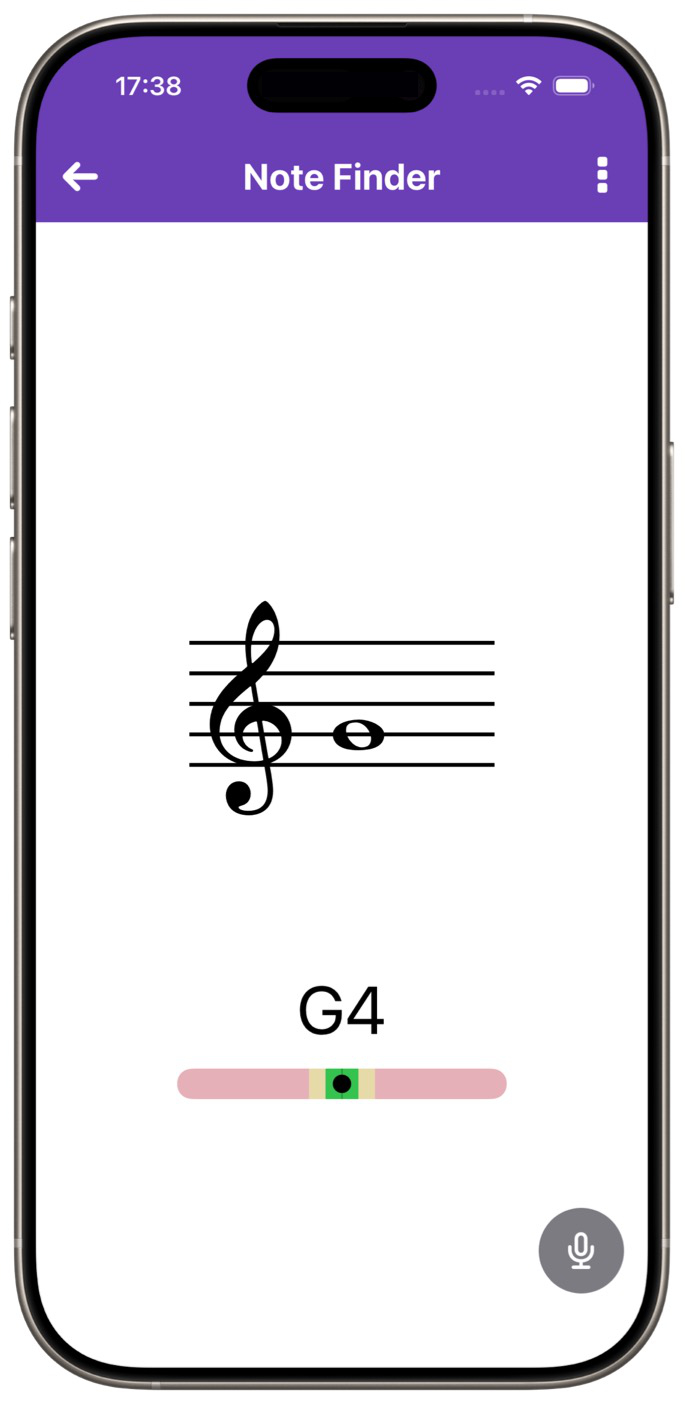
The new Note Finder detects played or sung notes in real time and shows the matching note, note name, and intonation. This means the app now supports not only fast note recognition and note reading on the instrument, but also more controlled and confident practice.
How it works: Start the app and tap "Note Finder". Simply place your iPhone or iPad next to your sheet music while practicing. Every note you play or sing will be displayed there. If you are unsure about a note you just played, you can check it immediately with the Note Finder, which is exactly the kind of feedback a teacher would often provide in a lesson. That gives you extra confidence when practicing at home.
You can also use it to explore. Take your instrument, open the Note Finder, play different pitches, and look at the notes that belong to them. This may turn out to be an especially insightful way for you to understand notes better and recognize them more quickly.
Sound in the "Note -> Name" mode
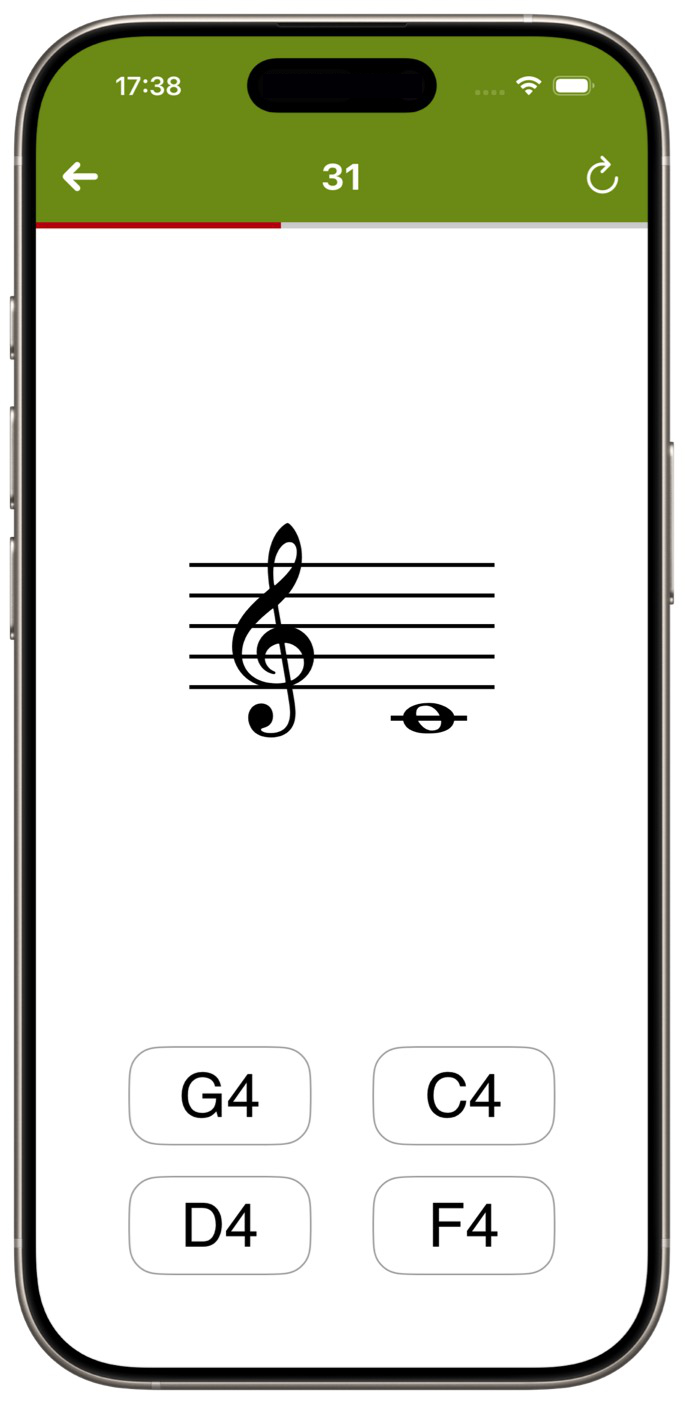
The note naming mode has already existed for many years and is used by learners around the world to become more confident with note names.
Now it has been expanded: whenever you tap an answer, the corresponding pitch is played. This strengthens the connection between notation, inner hearing, and correct naming. Combined with the proven exercises on your own instrument, this creates a more direct and motivating learning experience for lessons, self-study, and daily practice.
How it works: Open an exercise, for example "Easy", and choose "Note -> Name". Start the game and enter the note name using one of the four answer buttons. You will now hear a matching piano sound with every answer.
Related links
Backstory: Read Music – Get Faster! 5.